How to download our free Photzy videos to watch offline
Our free video guides can be downloaded to your computer/laptop through our Vimeo page.
Note: The instructions below are for downloading to your computer or laptop. For downloading to your mobile device, click here.
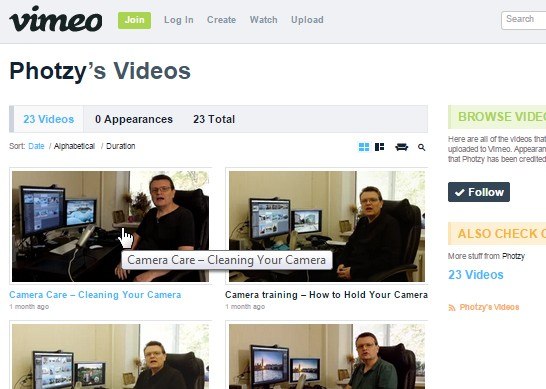
Step 1: Access Photzy's Vimeo link here. You will be directed to Photzy's Vimeo page in a new tab or window.
Step 2: Find and click on the video you want to download.
Step 3: Once it's open, find the download button under the video title.
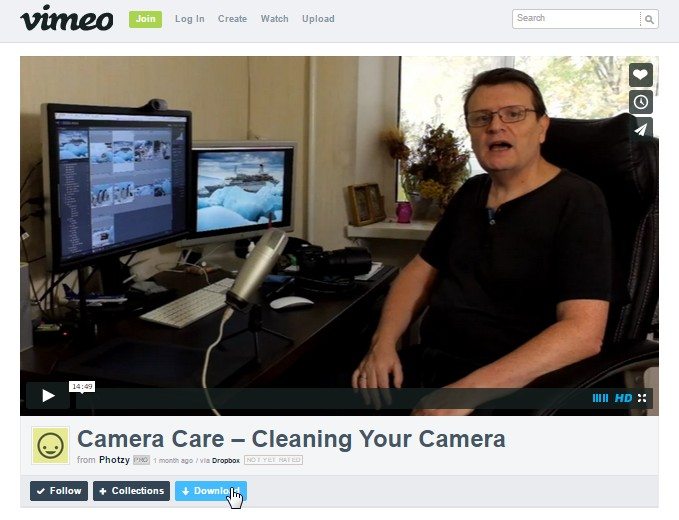
Step 4: Click on the "Download" button and drop-down options will appear. You will have the choice to download either SD (Standard Definition) or HD (High Definition).
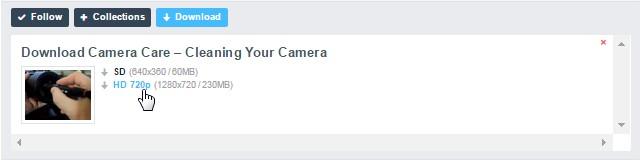
Step 5: Click on your choice and the video will be downloaded to your computer. Just make sure to check your 'Downloads' folder. You can choose HD for higher quality videos if you need.